How to recover windows disk space by deleting servicepack files
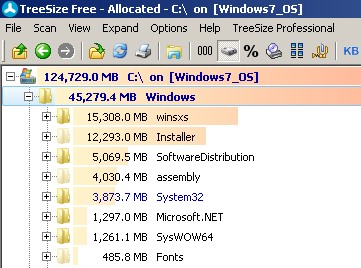
Recently I ran out of disk space on my computer and noticed that my windows folder alone was taking crazy 45GB. I used TreeSize FREE tool
Try to run the following command as administrator (Right click on command prompt icon and run as admin)
dism /online /cleanup-image /spsuperseded
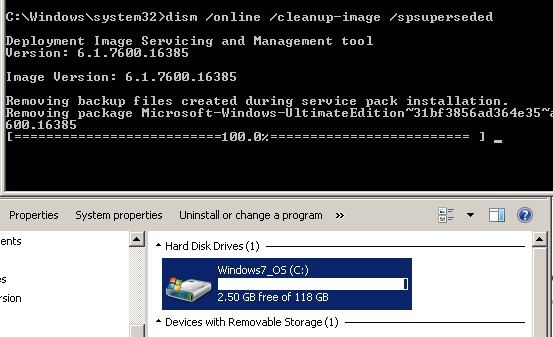
After command completion I was able to regain 4.5GB



Binary World is a Software Development company located in Atlanta, USA (since 2007). Binary World specialized in Business Intelligence, mobile, cloud computing and .Net Application Development.
Leave a Reply
You must be logged in to post a comment.